Server
The Server page says which eD2K servers njMule keeps and connects to: when a server that stops answering leaves the list, whether the list grows from what servers and clients tell, whether njMule connects only to your static servers, and which server lists it fetches at start. The web interface has the same page.
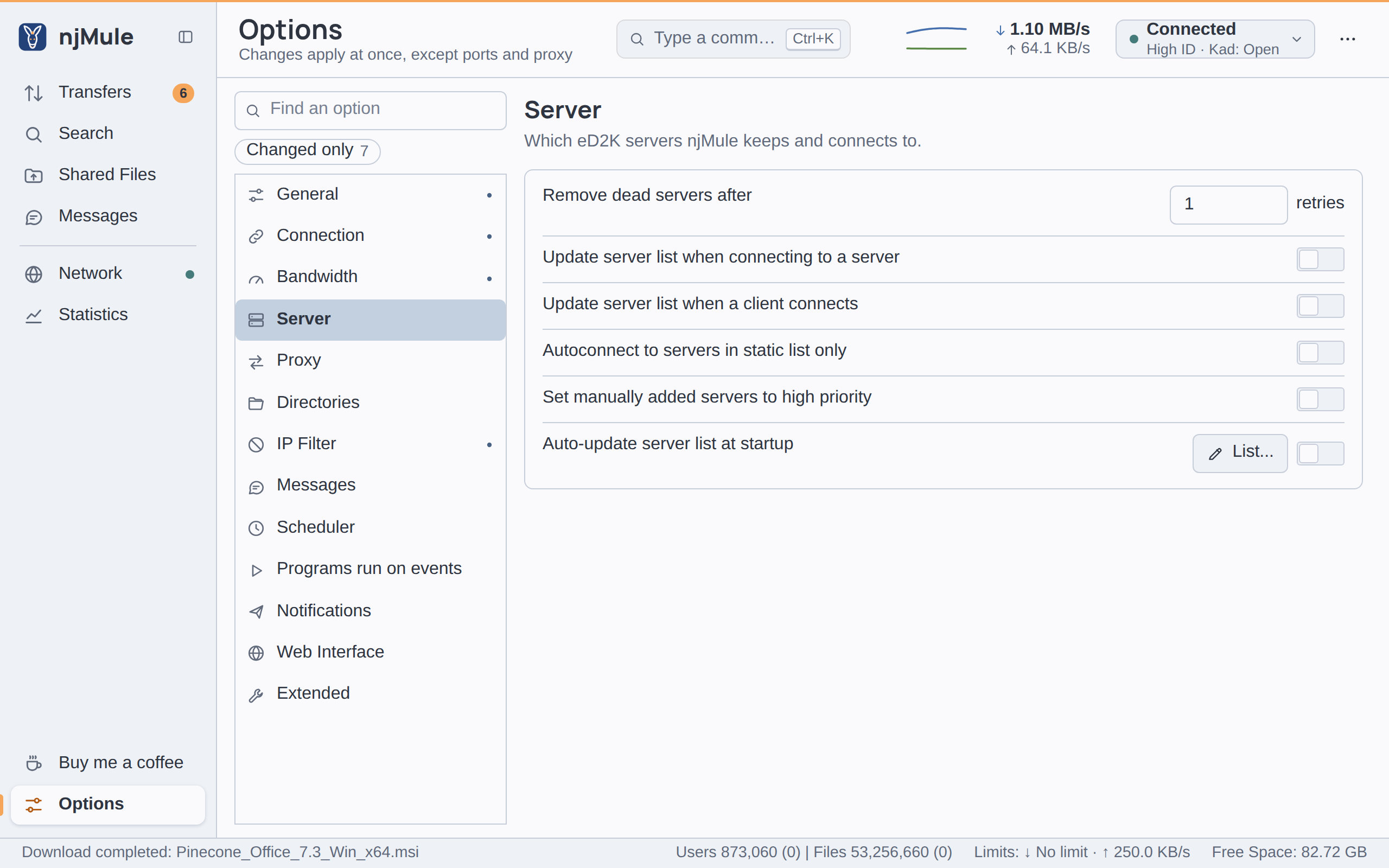
Every option of this page applies at once and is kept in njmule.properties. The server list
itself is managed on the Network screen: see Network and
Servers and Kad.
Options
| Option | Default | What it does |
|---|---|---|
| Remove dead servers after … retries | 1 | A server that failed to answer this many times in a row leaves the list. A ping counts as a failure until it is answered. Static servers and the server you are connected to always stay. A whole number from 1 to 10. Key server.deadRetries. Also in the web interface. |
| Update server list when connecting to a server | Off | When njMule logs in to a server, it asks for the server's list of other servers and adds them. Key server.addFromServer. Also in the web interface. |
| Update server list when a client connects | Off | Adds the server another client says it is connected to. Key server.addFromClients. Also in the web interface. |
| Autoconnect to servers in static list only | Off | When njMule chooses a server by itself, at start or after losing one, it takes only servers of the static list. Key server.staticOnly. Also in the web interface. |
| Set manually added servers to high priority | Off | Servers you add by hand get the High priority, so that njMule tries them first. Key server.manualHighPriority. Also in the web interface. |
| Auto-update server list at startup | Off | At each start, njMule fetches the server.met files at the addresses you list with List... and adds their servers. Key server.updateAtStart. Also in the web interface. |
Addresses of server lists
List... opens the addresses njMule fetches at start when Auto-update server list at startup is on.
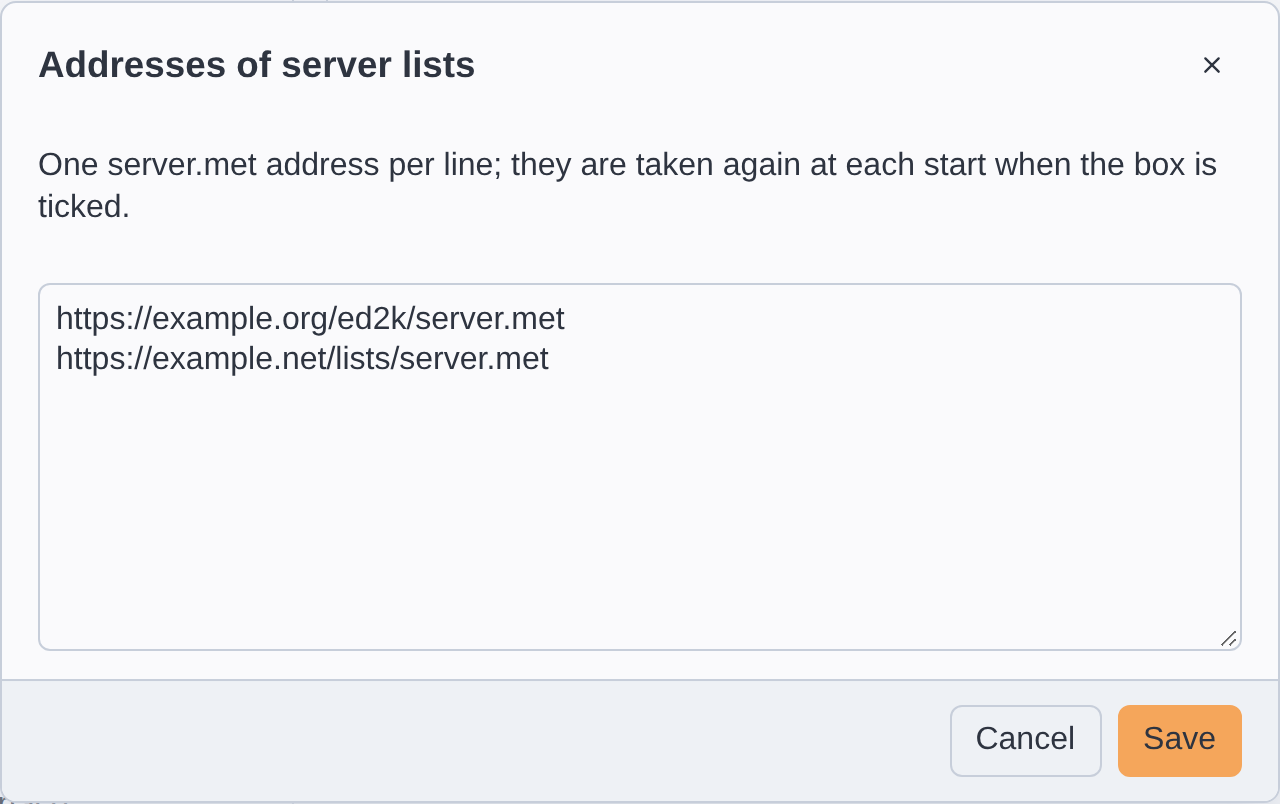
- Click List... beside the switch.
- Type or paste one
server.metaddress per line, starting withhttp://orhttps://. - Click Save. Lines that are not such addresses are dropped.
njMule keeps the addresses in addresses.dat in its configuration folder; the
import from eMule takes eMule's list. The lists are fetched
through the proxy and the network interface of the options, only from public addresses and within
limits of size and redirections.