Messages
The Messages page says who may send you chat messages and what is filtered out: messages holding words you list, messages from anyone but your friends, and the usual chat spam. A message left out never shows, and runs no program and sends no notification. The web interface has the same page.
A client counts as your friend only when it is in your friends list and its identity is proven by secure identification: anyone could send a friend's user hash.
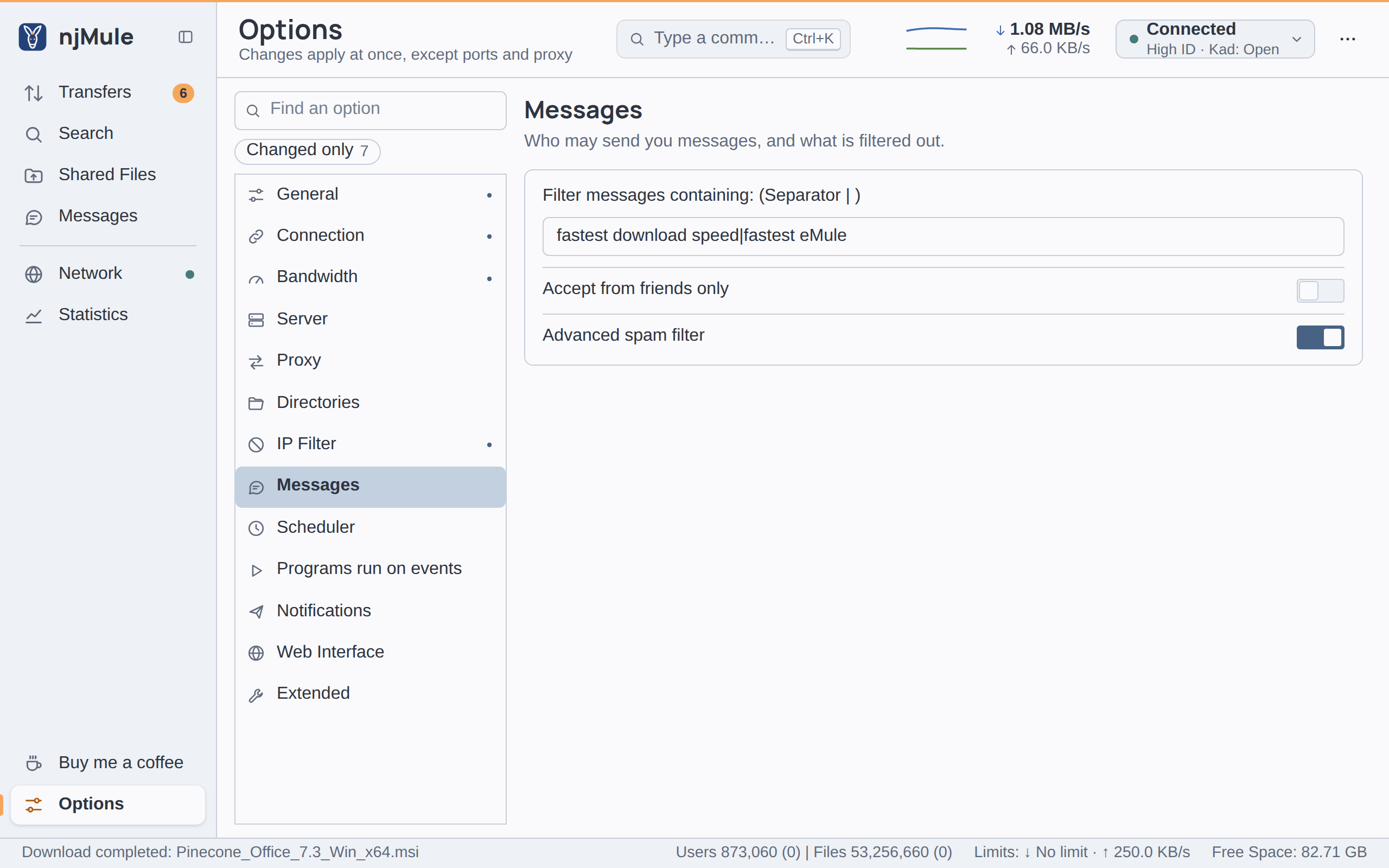
Every option of this page is kept in njmule.properties and applies at once. Chatting is described
on Messages.
Options
| Option | Default | What it does |
|---|---|---|
| Filter messages containing: (Separator | ) | see below | Words, apart by |: a message that holds one of them anywhere, in upper or lower case, is left out, from friends too. At most 4,096 characters; empty filters nothing. Key chat.filter. Also in the web interface. |
| Accept from friends only | Off | Shows only the messages of your friends. Key chat.friendsOnly. Also in the web interface. |
| Advanced spam filter | On | Leaves out the usual spam of clients that are not your friends. See below. Key chat.spamFilter. Also in the web interface. |
The default words are:
fastest download speed|fastest eMule
Advanced spam filter
With Advanced spam filter on, njMule watches each conversation with a client that is not your friend. Until you write to that client:
- a message with a link (
http:,https:,ftp:,ed2k:,www.orftp.) is left out; - the first three messages show; a fourth one is left out;
- a message with a filtered word is left out too.
Any of these marks the client as a spammer: from then on, nothing it sends shows. Write to a client before that happens, and these checks no longer apply to it; only the filtered words still do.