IP Filter
The IP Filter page says which addresses njMule never talks to: the IP filter lists it fetches from the web and how often, the level a range needs to block, whether LAN addresses are left out, and the addresses always allowed. Its Spam section turns the spam filter of search results on or off. The web interface has the same page.
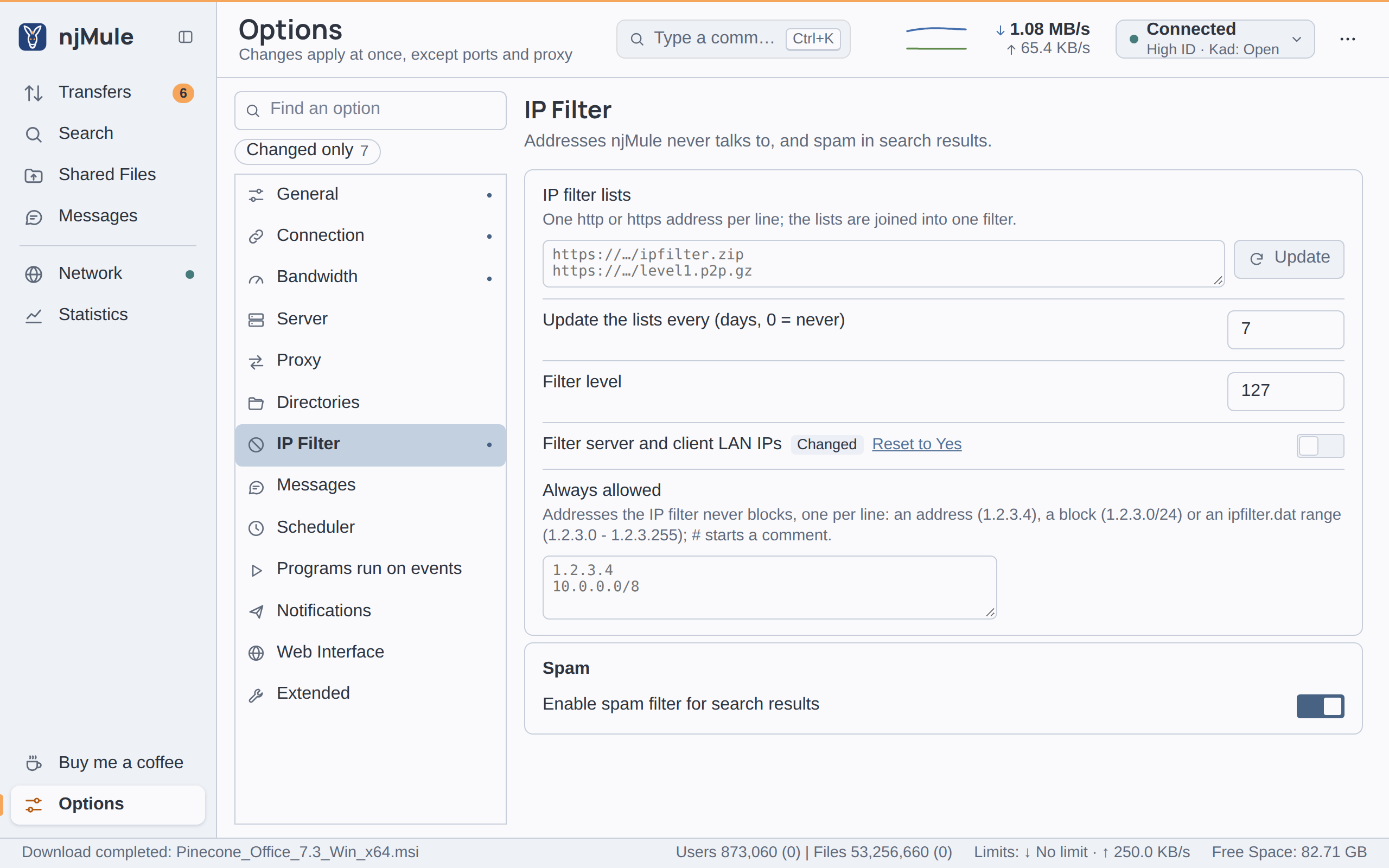
Every option of this page is kept in njmule.properties and applies at once.
IP filter explains how the filter works and where to find lists.
Options
| Option | Default | What it does |
|---|---|---|
| IP filter lists | empty | The addresses of IP filter lists on the web, one http or https address per line, up to 16 lists of at most 2,048 characters each. A list may be in the ipfilter.dat, PeerGuardian or P2B format, plain, zipped or gzipped. njMule joins the lists into one filter, which applies at once. Update fetches the lists as typed now. Key security.ipFilterLists. Also in the web interface. |
| Update the lists every (days, 0 = never) | 7 | njMule fetches the lists again by itself once the filter is this many days old, and six hours after a try that failed. 0 updates them only when you click Update. A whole number from 0 to 365. Key security.ipFilterUpdateDays. Also in the web interface. |
| Filter level | 127 | Each range of a list has a level: ranges whose level is below this one block. A whole number from 0 to 255. Key security.ipFilterLevel. Also in the web interface. |
| Filter server and client LAN IPs | On | Leaves out servers, sources and Kad contacts at LAN addresses (such as 192.168.x.x). Turn it off to use njMule between computers of your own network. A source you add by hand, and the sources of a link, are not held to it. Key security.filterLan. Also in the web interface. |
| Always allowed | empty | Addresses the IP filter never blocks, one per line: an address (198.51.100.7), a block (198.51.100.0/24) or an ipfilter.dat range (198.51.100.0 - 198.51.100.255). A line starting with # is a comment. IPv4 only; at most 16,384 characters. Key security.ipFilterWhitelist. Also in the web interface. |
Update the lists
- Type the addresses of the lists in IP filter lists, one per line.
- Click Update. njMule says Downloading IP filter file, then how many ranges it loaded: N IP filters loaded.
Update stays off while the box is empty or holds a line that is not an http or https
address; the tooltip of the box names the line to fix. A list that cannot be fetched or read is left
out, and the log names it. The lists are fetched through the proxy and the network interface of the
options, only from public addresses and within limits of size and redirections.
The lists are kept together as ipfilter.dat in the configuration folder, the file njMule reads at
start. A change of the level or of the addresses always allowed applies at once, without fetching
the lists again.
# A friend's computer
198.51.100.7
# The whole office network
203.0.113.0/24
Spam
| Option | Default | What it does |
|---|---|---|
| Enable spam filter for search results | On | Rates every search result against the results you marked as spam: their hashes, names, sizes and the servers that gave them. A result rated as spam is shown as spam, and goes last when you sort the results. Switching the filter rates the results of the open search tabs again. The marks are kept in SearchSpam.met. Key search.spamFilter. Also in the web interface. |
Search shows how to mark a result as spam.