Programs run on events
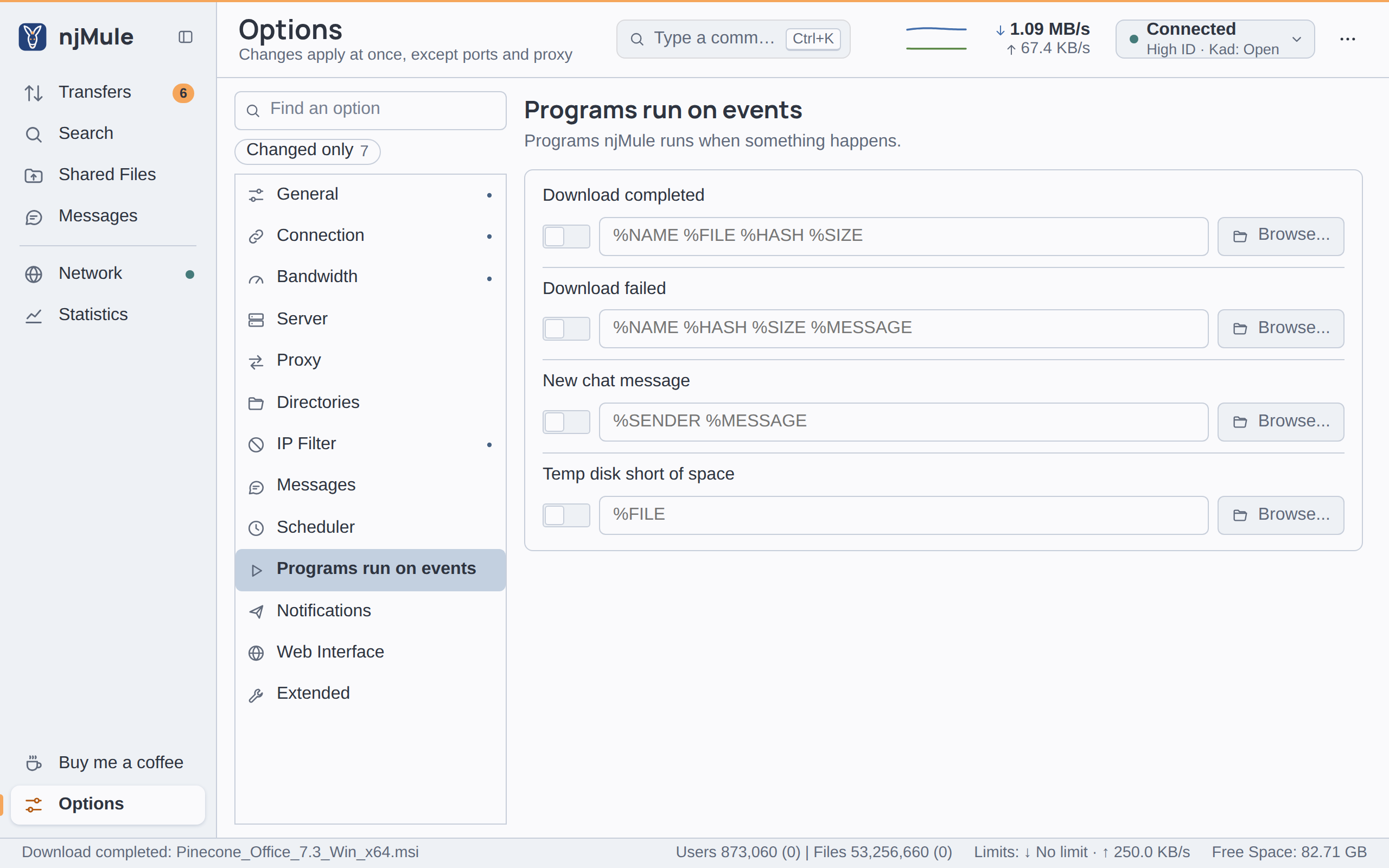
The Programs run on events page lets njMule start a program of your own when something happens: a download completes or fails, a chat message arrives, or the disk of the temporary folder runs short of space. Use it to move or check finished files, to send yourself a message by a tool you already have, or to log what njMule does. The desktop app and the headless engine run the programs alike, and the web interface has the same page.
Options
Each event has a switch, which turns its program on or off, and a command line: the program
followed by its arguments. The empty field shows the placeholders the event fills in. Browse...
chooses the program, which takes the place of the one typed, in quotes, before the same arguments; it
works in the desktop app on the computer njMule runs on. Both apply at once and are kept in
njmule.properties.
| Option | Default | What it does |
|---|---|---|
| Download completed | Off, empty | Runs when a download completes and its file is in place. Placeholders %NAME, %FILE, %HASH, %SIZE. Keys events.downloadCompleted.enabled and events.downloadCompleted.command. Also in the web interface. |
| Download failed | Off, empty | Runs when a download fails. Placeholders %NAME, %HASH, %SIZE, %MESSAGE. Keys events.downloadFailed.enabled and events.downloadFailed.command. Also in the web interface. |
| New chat message | Off, empty | Runs when a chat message arrives that the message filters let through. Placeholders %SENDER, %MESSAGE. Keys events.chatMessage.enabled and events.chatMessage.command. Also in the web interface. |
| Temp disk short of space | Off, empty | Runs when the disk of the temporary folder has less free space than Min. free disk space of the Directories page and the downloads wait. Placeholder %FILE. Keys events.diskSpaceShort.enabled and events.diskSpaceShort.command. Also in the web interface. |
A command line holds at most 4,096 characters, on one line.
Placeholders
njMule replaces each placeholder with its value inside the arguments, before it starts the program:
| Placeholder | Value |
|---|---|
%NAME | The file name of the download. |
%FILE | Download completed: the full path of the completed file. Temp disk short of space: the full path of the temporary folder. |
%HASH | The eD2K hash of the file, 32 hexadecimal digits. |
%SIZE | The size of the file in bytes. |
%MESSAGE | Download failed: why it failed. New chat message: the text of the message. |
%SENDER | The nick of the client that wrote, or its address and port when it gave none. |
A placeholder an event does not offer is replaced by nothing. Write the placeholders in capitals.
How the command line is read
No shell runs the command: njMule starts the program itself, so that a file name or a message from another user can never become a command.
- The program and its arguments are apart by spaces.
- Double or single quotes keep spaces inside one argument:
"C:\Users\you\My Scripts\done.cmd". Two quotes of the same kind inside them stand for one. A quote left open is a mistake, said under the field, and the line is not saved. - Backslashes are plain characters, as in Windows paths.
- A placeholder is filled in inside its argument, so
"%FILE"stays one argument even when the path holds spaces, and--name=%NAMEworks too. - Pipes, redirections, variables and wildcards mean nothing without a shell. To use them, write a script and name it as the program (or its interpreter, then the script).
- The program is a full path, or a name the system finds on its
PATH. - On Windows a double quote in a value, such as a file name, becomes a single quote, so that it cannot split the arguments.
File names and chat messages come from other users. Never pass a placeholder to a shell yourself,
as in sh -c "… %NAME …" or cmd /c … %NAME: a crafted name would then run commands of its own. Hand
the values to a script as arguments instead, and quote them there.
What happens when it runs
- njMule starts the program and does not wait for it; the program runs as the user njMule runs as.
- What the program writes is discarded, and nothing is sent to its input. The log says when a program starts, when it cannot start, and when it ends with an exit code other than 0.
- At most four programs run at once. An event that comes while four are still running starts none, and the log says so.
- A program still running when njMule exits goes on by itself.
Examples
- Windows
- macOS
- Linux
Run a PowerShell script with the completed file and its size:
powershell.exe -NoProfile -File "C:\Users\you\Scripts\done.ps1" "%FILE" %SIZE
Run a shell script of yours with the completed file and its hash:
/Users/you/bin/done.sh "%FILE" %HASH
Show a desktop notification when a download completes:
/usr/bin/notify-send njMule "%NAME is complete"
To be told by e-mail or on your phone without a program of your own, use Notifications instead.