Bandwidth
The Bandwidth page says what your line can carry and how much of it njMule may use. The capacities describe your line: they limit nothing, but set the top of the speed sliders. The limits are what njMule really keeps to. The web interface has the same page.
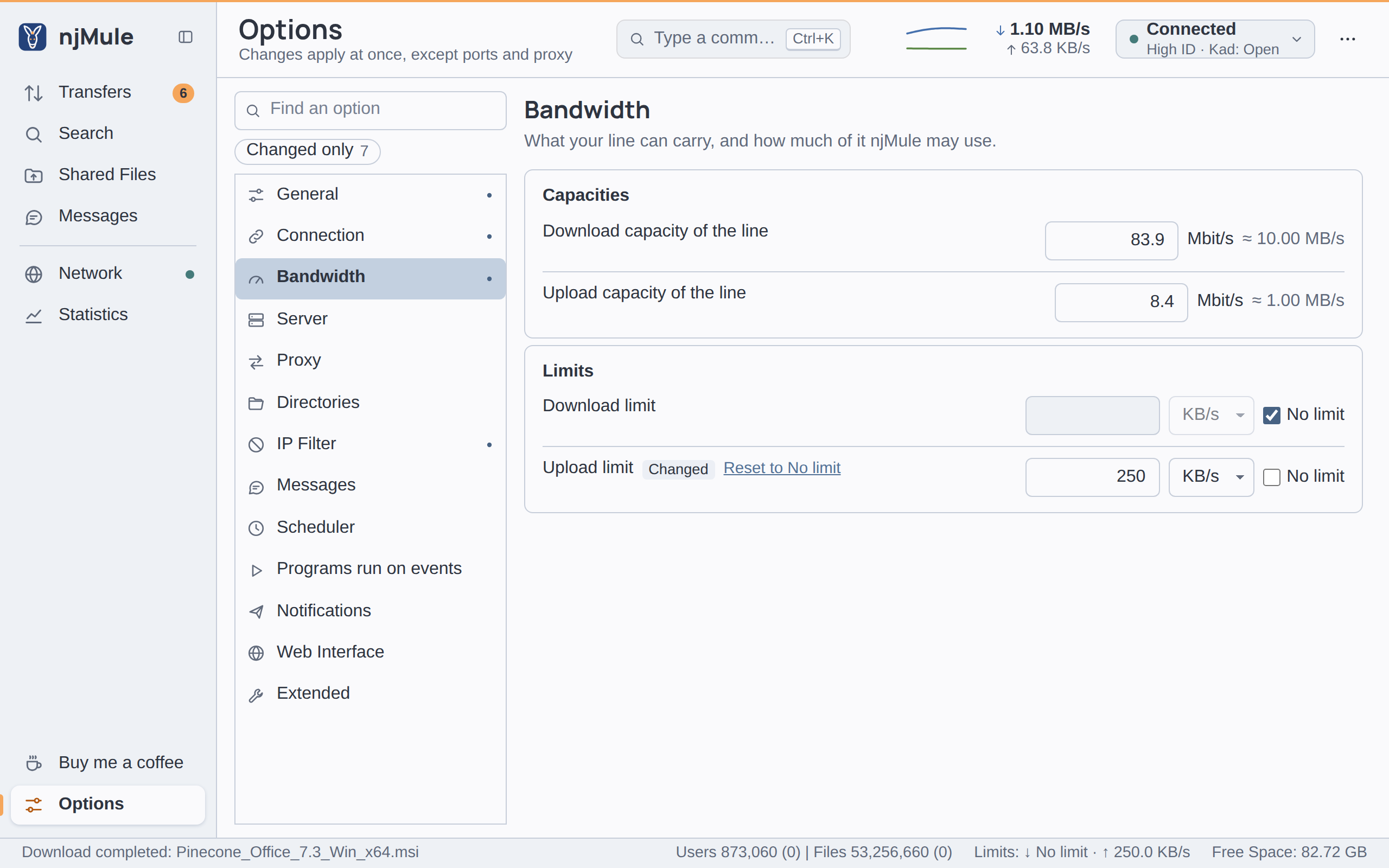
Every option of this page applies at once and is kept in njmule.properties, in whole KiB/s.
Capacities
| Option | Default | What it does |
|---|---|---|
| Download capacity of the line | 83.9 Mbit/s (10,240 KB/s) | What your line can download, typed in Mbit/s as providers sell it; beside it njMule shows the same speed in bytes (≈ 10.00 MB/s). The top of the download slider, and what Full speed sets the download limit to. From 1 KB/s to 10,000,000 KB/s. Key limits.downloadCapacityKiBps. Also in the web interface. |
| Upload capacity of the line | 8.4 Mbit/s (1,024 KB/s) | What your line can upload, in Mbit/s; the top of the upload slider, and what Full speed sets the upload limit to. Same range. Key limits.uploadCapacityKiBps. Also in the web interface. |
The defaults stand for a common home line, about 80 Mbit/s down and 8 up. The first-start wizard offers presets for them, and the import from eMule takes eMule's capacities.
Limits
| Option | Default | What it does |
|---|---|---|
| Download limit | No limit | The most njMule downloads, all downloads together: a number in KB/s or MB/s, decimals allowed, or No limit. From 1 KB/s to 10,000,000 KB/s. Key limits.downloadKiBps, 0 for no limit. Also in the web interface. |
| Upload limit | No limit | The most njMule uploads, all uploads together, in the same way. The number of upload slots follows it. Key limits.uploadKiBps, 0 for no limit. Also in the web interface. |
Leave some of your upload free: a line whose upload is full slows its downloads down too, because the acknowledgements of the data you receive have to go up the same line.
Units
| Unit | Means |
|---|---|
| KB/s | 1,024 bytes a second (a KiB/s) |
| MB/s | 1,024 KB/s |
| Mbit/s | 1,000,000 bits a second, that is 125,000 bytes a second |
A speed typed in another unit is kept in whole KiB/s, rounded. Choosing another unit in the list
writes the same speed again in it, so 1 MB/s becomes 1024 KB/s.
Limits elsewhere
The same limits are set from other places, and every change shows on this page at once:
- the Speed limits under the rates of the top bar, and over the limits of the status strip;
- the menu of the icon in the Windows notification area;
- the remote control:
njmule --remote limits 50 1Msets the upload and download limits (see Remote control).
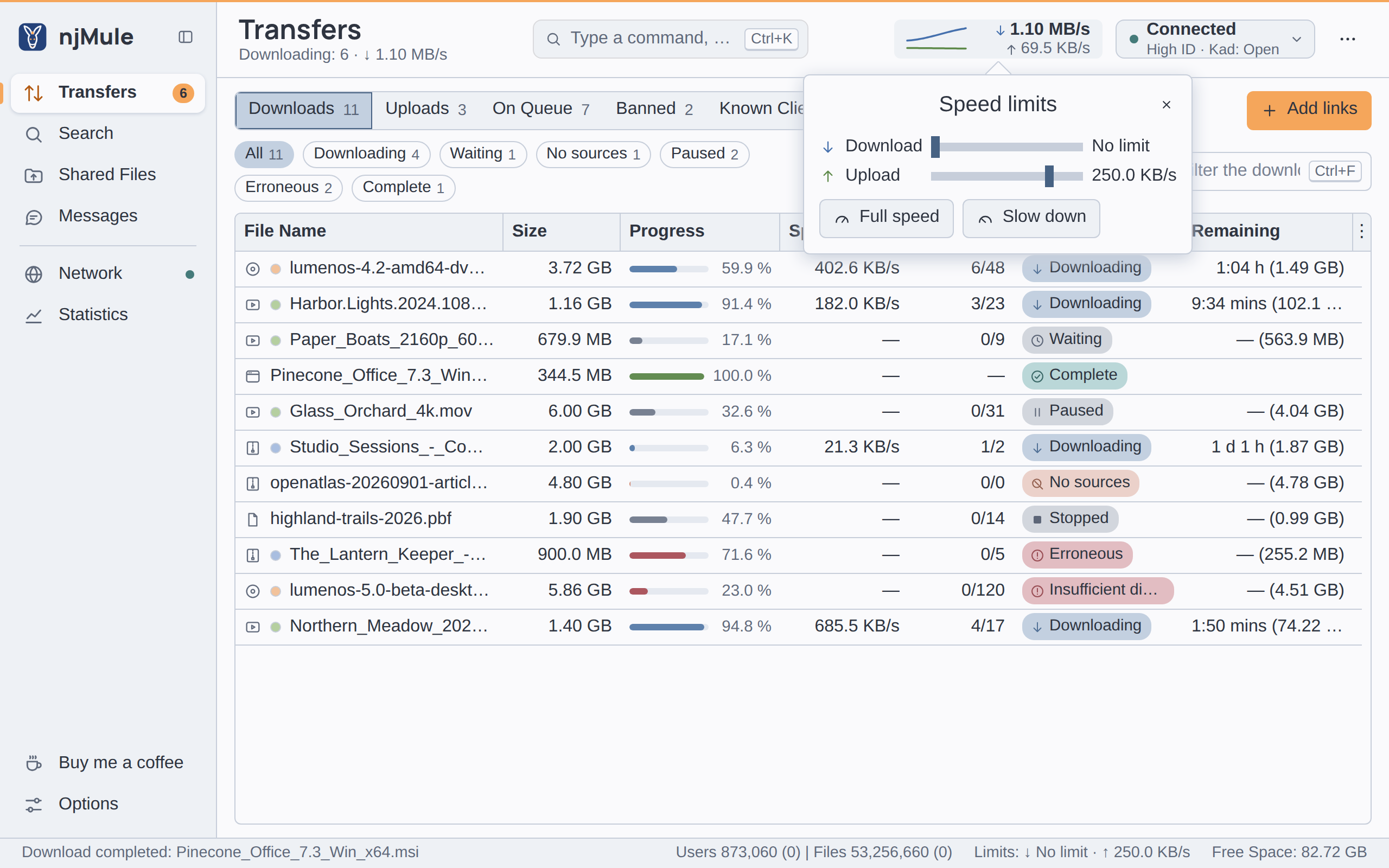
Each slider runs from no limit up to the capacity of the line, or up to the limit when you set one higher than the capacity. Full speed sets both limits to the capacities, Slow down to 1 KB/s each.
While a scheduler rule holds, the limits it sets replace these; the values of this page stay as they are and apply again when no rule holds.