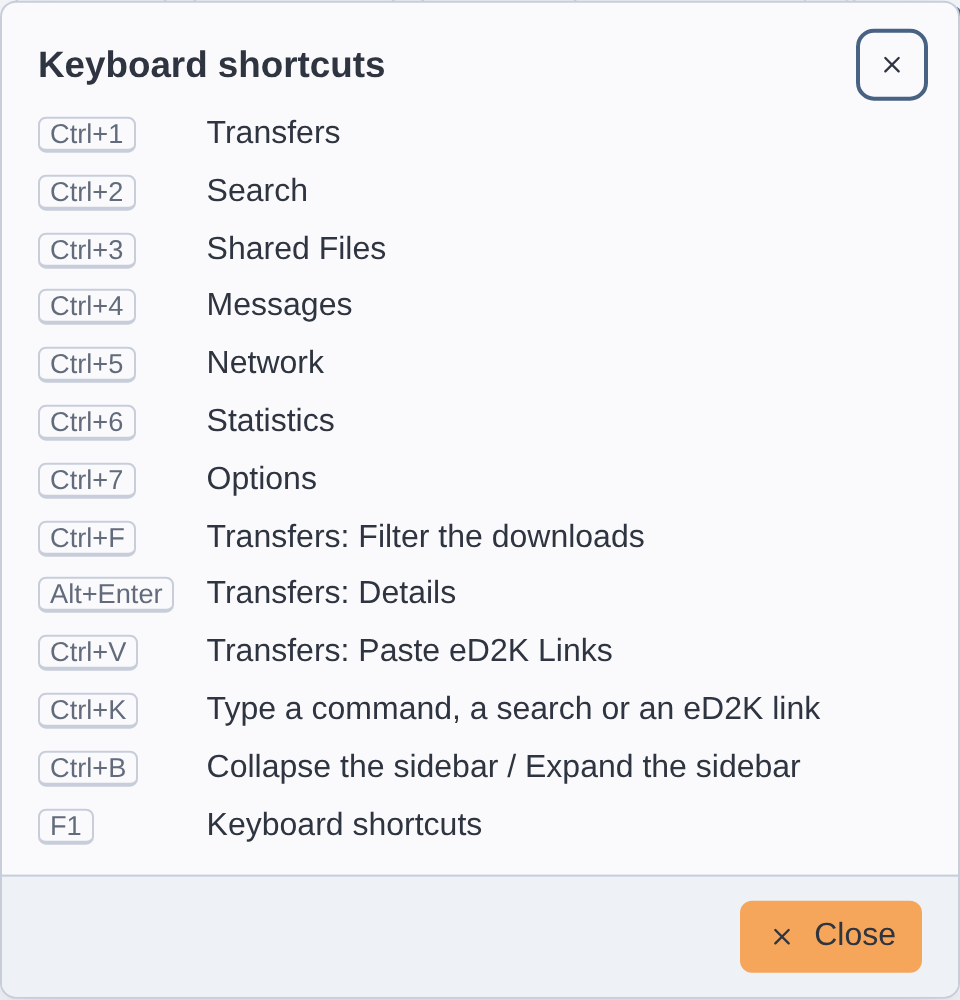
njMule can be used from the keyboard. Press F1 , or choose ⋯ → Keyboard shortcuts ,
to see the main shortcuts in a small window; this page lists them all.
On macOS, use Cmd wherever this page says Ctrl , and Option for
Alt ; njMule shows the keys as your system writes them (⌘1 on macOS).
The Keyboard shortcuts window (F1) Everywhere
Keys What they do Ctrl +1 Opens Transfers . Ctrl +2 Opens Search . Ctrl +3 Opens Shared Files . Ctrl +4 Opens Messages . Ctrl +5 Opens Network , at the part you left. Ctrl +6 Opens Statistics . Ctrl +7 Opens Options . Ctrl +K Opens the command palette: a place, a command, a search or eD2K links. Ctrl +B Folds the sidebar to its icons, or opens it again. F1 Shows the keyboard shortcuts.
The digits are those of the main keyboard, not of the numeric keypad.
In the command palette
Keys What they do ↑ ↓ Choose a line. Enter Runs the line chosen. Esc Closes the palette.
A letter typed while the command field of the top bar has the focus opens the palette with that
letter in it.
In dialogs and menus
Keys What they do Enter The default answer of a dialog, the one ringed; in the questions about something risky, such as cancelling downloads, it is the safe answer. Esc Cancels or closes the dialog; closes the menu of the notification area.
In every list
Keys What they do ↑ ↓ , Page Up Page Down , Home End Choose another row. Shift with them, or Shift +clickExtend the choice from the row chosen first. Ctrl with themMove to another row without choosing it; Ctrl +Space adds it to the choice or takes it out. Ctrl +clickAdds a row to the choice, or takes it out. Ctrl +A Chooses every row.
Transfers
Keys Where What they do Ctrl +F The screen Shows the downloads and puts the cursor in Filter the downloads . Esc The filter Empties it. Alt +Enter The screen Shows the details of the download chosen. Enter or a double clickA download Opens it onto its sources, or closes it; opens the file of a completed download. → The downloads chosen Opens them onto their sources. ← The downloads chosen Closes them. Delete The downloads chosen Takes the completed ones off the list (their files stay) and asks before cancelling the others. Ctrl +C The downloads chosen Copies their eD2K links. Ctrl +V The screen, outside its fields Adds the downloads of the eD2K file links on the clipboard, in the category shown. A double click A name of Source Names Takes the name over into the box to rename the download.
On a Mac keyboard without a Delete key, press Fn +⌫ .
Search
Keys Where What they do Enter Search for Starts the search. F4 or Alt +↓ Search for Opens or closes the list of the searches typed before. Delete The list of the searches typed before Takes the search highlighted out of the list. Ctrl +Tab or Ctrl +Page Down The tabs and the results Shows the next search. Ctrl +Shift +Tab or Ctrl +Page Up The tabs and the results Shows the search before. ← → , Home End The tabs Show the search beside, the first or the last. + The results chosen Shows the other names of a file found under several names. − The results chosen Hides them again. Enter or a double clickThe results chosen Downloads them. Esc The filter of the results Empties it.
The keys that change the search shown use Ctrl on macOS too, not Cmd .
Shared Files
Keys Where What they do Ctrl +F The list of files Puts the cursor in Filter shared files . Esc The filter Empties it.
Messages
Keys Where What they do Enter The box to write Sends the message. Enter Letters in the picture Sends the answer to a CAPTCHA. Enter IP or Address Opens the conversation with that address. Esc Find a conversation Empties it.
Network
Keys Where What they do Enter or a double clickA server Connects to it; Enter on the server you are on disconnects. Delete The servers chosen Removes them from the list. Ctrl +C The servers chosen Copies their server links. Ctrl +V The server list Adds the servers of the server links on the clipboard. Esc Filter servers Empties it. Enter Update server.met from URL Downloads the list (Update ). Enter IP or Address Connects to that server (Connect to address ). Enter Nodes.dat from URL: Downloads the list (Download ). Enter From a client you know: Joins Kad through that node (Bootstrap ). Ctrl +C The log, the server info Copies the text chosen. Ctrl +A The log, the server info Chooses all the text.
Options
Keys Where What they do Esc Find an option Empties it. ↓ Find an option Moves to the list of pages. Enter Find an option Moves to the first option found.
Related pages