Logs
njMule tells what it does in two places: the Log in the app, which shows the events that matter to you, and the log files, which keep everything at the chosen level, with the time and the part of njMule that wrote each line. When you ask for help, the log file is what others will want to see.
The Log in the app
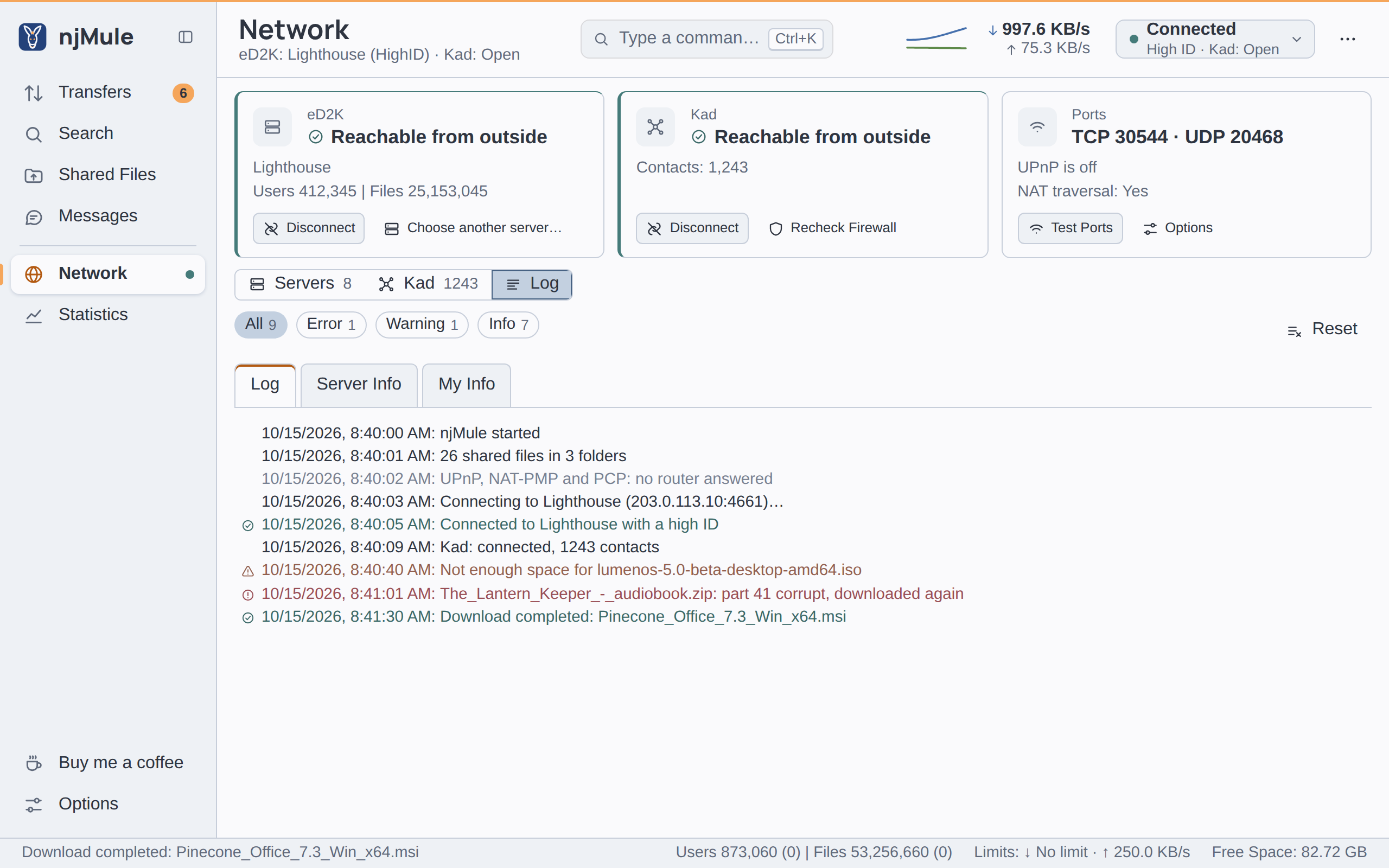
Open Network → Log (or click the last event in the status strip). Three tabs:
- Log: njMule's events (connections, servers found, downloads finished, parts found corrupt and downloaded again, warnings, errors), newest at the bottom. Chips with counts narrow it to Error, Warning or Info lines, All shows them all.
- Server Info: the connections to servers and what the servers say.
- My Info: your addresses, IDs and the state of eD2K, Kad and the web interface.
Select text with the mouse and copy it with the system's shortcut or the context menu (Copy, Select All). Reset clears the tab shown, not the files. The app shows the latest 2,000 lines of the Log and 500 of Server Info.
The web interface has the same Network → Log, and
njmule --remote log prints the latest lines of a running njMule (see
Remote control).
Log files
| Where njMule runs | Folder |
|---|---|
| Windows | %LOCALAPPDATA%\njMule\logs |
| macOS | ~/Library/Logs/njMule |
| Linux | ~/.local/state/njmule/logs (or $XDG_STATE_HOME/njmule/logs) |
Portable mode, --config-dir | logs below the profile's folder |
| Windows service | %ProgramData%\njMule\logs |
| Docker | /njmule/logs in the volume |
| Synology | /var/packages/njmule/var/logs |
The current file is njmule.log. It rolls over each day and whenever it reaches 10 MB; older files
are compressed as njmule.2026-10-15.0.log.gz (the date, then a number for each file of that day).
Files older than 14 days go, and so do the oldest ones once all of them take more than 200 MB.
Each line carries the date and time with the time zone, the level, the thread and the part of njMule that wrote it:
2026-10-15T10:40:03.512+02:00 INFO [main] org.njmule.core.engine.Engine - njMule 0.1.0 started
Line breaks inside messages are replaced, so nothing received from the network can forge a log line. A desktop window that drives another njMule runs no engine and writes no log: that njMule logs on its own computer.
The files hold the addresses of servers and clients and the names of files: share them with care.
Log level
| Level | What is written |
|---|---|
ERROR | Only failures. |
WARN | Failures and what may need your attention. |
INFO | The default: the main events, as in the app's Log, and a little more. |
DEBUG | Details for finding a problem; much more text. |
TRACE | Everything; for developers. |
There is no option for it in the options pages. Choose it:
- for one run, with
--log-level:njmule --log-level DEBUG, ornjmule-gui --log-level DEBUG, which passes it to the desktop app's engine; - for good, with
log.levelinnjmule.properties(edit it while njMule is stopped, or change it through the remote-control API); it takes effect at the next start.
log.level=DEBUG
Commands that do one thing and exit (--search, --download, --hash…) print only errors on the
console unless you give --log-level.
Where the console goes
The headless engine also writes its log to the console (standard output), at the same level.
- Linux (systemd)
- Docker
- Synology
The systemd user unit sends it to the journal:
journalctl --user -u njmule        # the log of the unit
journalctl --user -u njmule -f     # follow it as it is written
docker logs njmule                 # the console of the container
docker logs -f --tail 100 njmule   # follow the last 100 lines
The files are in the volume too, under /njmule/logs.
The package writes no console: the log goes to its files under /var/packages/njmule/var/logs,
and only a fatal error at start lands in /var/packages/njmule/var/njmule.err.