Configuration backups
A disk that fails, a file edited by mistake or a version that misbehaves can cost you your settings, lists, identity and credits. njMule therefore copies its configuration folder into a dated zip file, by itself, and keeps the latest few.
When copies are made
- At each exit, after the last saves.
- Every day, while njMule keeps running.
- Before a new version first uses the configuration, so that the copy holds the configuration as the previous version left it (see Updates).
The log says Configuration backed up to … with the file's path.
Where they are
In the backups folder of the data folder of your profile (see
Where njMule keeps its data):
| System | Folder |
|---|---|
| Windows | %LOCALAPPDATA%\njMule\data\backups |
| macOS | ~/Library/Application Support/njMule/data/backups |
| Linux | ~/.local/share/njmule/backups |
Portable mode, --config-dir | data/backups below the profile's folder |
The files are named after the moment they were made, in UTC:
njmule-config-20261015-084000.zip. On Linux and macOS only their owner can read them.
How many are kept
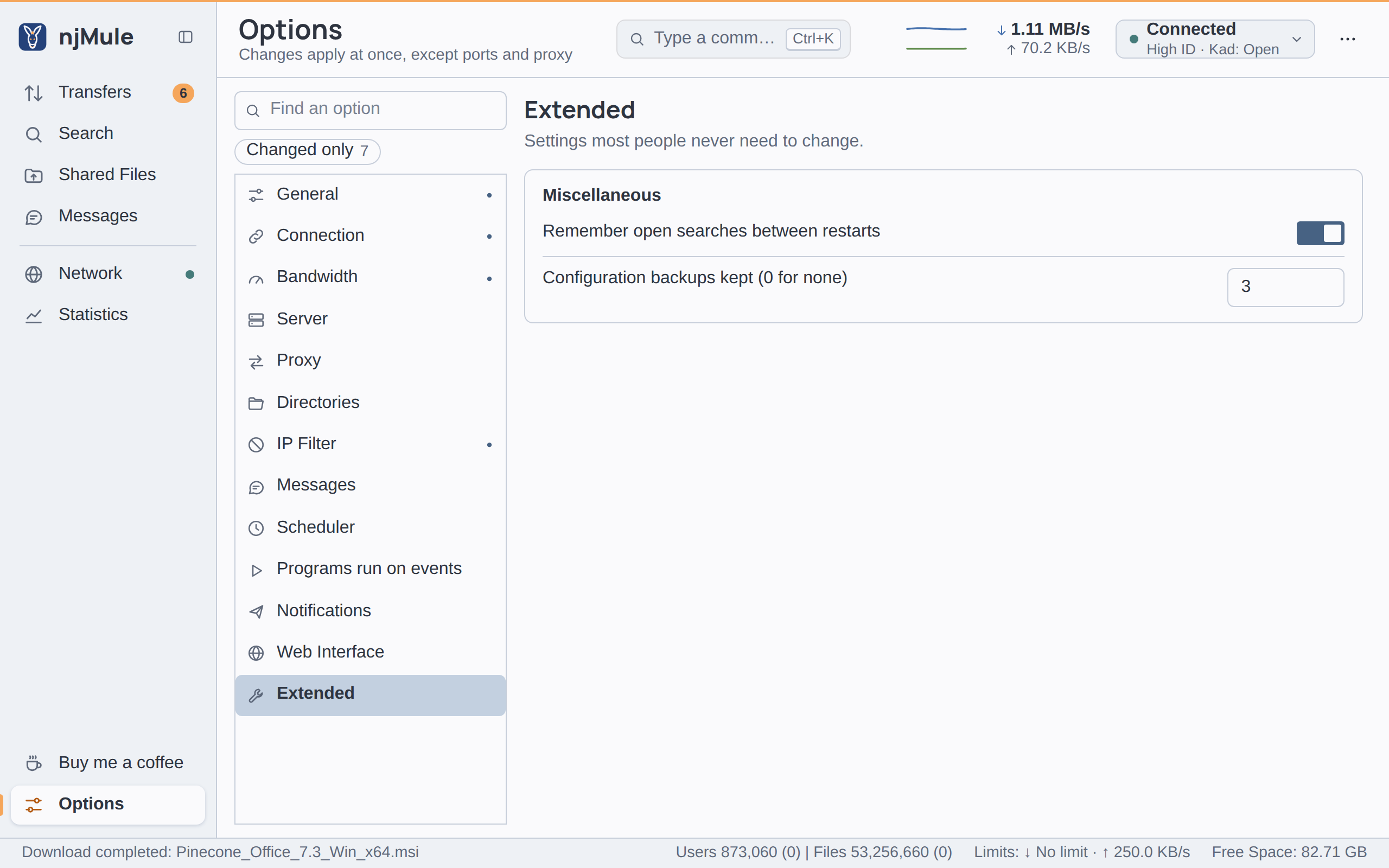
Configuration backups kept (0 for none), in Options → Extended → Miscellaneous (and in the
web interface's options), sets how many copies njMule keeps: 3 by default, up to 50. Once there are
more, the oldest go. With 0, njMule makes no copy. The preference is backup.copies.
What a copy holds
Every file of the config folder: the preferences, the server and Kad lists, your identity (user hash, key, Kad ID), the credits, the known and cancelled files, friends, searches, comments, categories, scheduler, web interface settings and API token. See Files of the profile.
A copy leaves out:
known2_64.met, the AICH hash sets, which can be large and are rebuilt by hashing the files again;- the Kad index files, which hold other nodes' entries that live a day at most;
njmule.lock,handoff, and the.tmpand.bakfiles;- the folders inside config (
importand the like), and the other folders of the profile: the desktop app's state in gui, the downloads in temp and incoming, the cache and the logs.
A copy holds your identity, the password hashes of the web interface, the API token and, in
njmule.properties, the proxy and SMTP passwords. Treat the backups as you treat the profile
itself.
Restore a copy by hand
- Stop njMule: quit the desktop app, or run
njmule --exit(stop the service or the container, if njMule runs as one). - Move the current config folder aside, for example rename
configtoconfig-old, and create an emptyconfigfolder. - Pick a copy in
data/backups(the newest one, or one from before the trouble) and extract it into the newconfigfolder: the files sit at the top of the zip. - Start njMule. It hashes your shared files again for their AICH hash sets, which takes a while for large files.
The same on the command line
# Linux
cd ~/.config
mv njmule njmule-old
mkdir -p njmule/gui && cp -r njmule-old/gui/. njmule/gui/
unzip ~/.local/share/njmule/backups/njmule-config-20261015-084000.zip -d njmule
# Windows
cd $env:APPDATA\njMule
Rename-Item config config-old
Expand-Archive "$env:LOCALAPPDATA\njMule\data\backups\njmule-config-20261015-084000.zip" config
On Linux the desktop app's gui folder lives inside the configuration folder, hence the extra copy above.
To bring back a single list instead, such as server.met or emfriends.met, stop njMule and copy
that one file from the zip over the one in config.